Hướng Dẫn Tối Ưu Hóa Khối Lượng Công Việc Media Trên Google Cloud Storage với Django Backend
Hướng Dẫn Tối Ưu Hóa Khối Lượng Công Việc Media Trên Google Cloud Storage với Django Backend
Bạn có biết rằng YouTube xử lý hơn 500 giờ video được upload mỗi phút? Hay Netflix phải stream nội dung cho 230 triệu người dùng trên toàn cầu?
Dĩ nhiên, startup của bạn chưa cần xử lý khối lượng "khủng" như vậy. Nhưng điều đó không có nghĩa bạn không thể học hỏi từ những "gã khổng lồ" này!
Hôm nay, tôi sẽ chia sẻ với bạn cách xây dựng một hệ thống media processing "nhỏ mà có võ" với Django và Google Cloud Storage - một stack đã được chứng minh qua hàng trăm dự án thực tế. Và tin tốt là: bạn không cần phải là một "phù thủy DevOps" để triển khai được những best practices này!
Tổng Quan Về Các Loại Khối Lượng Công Việc Media
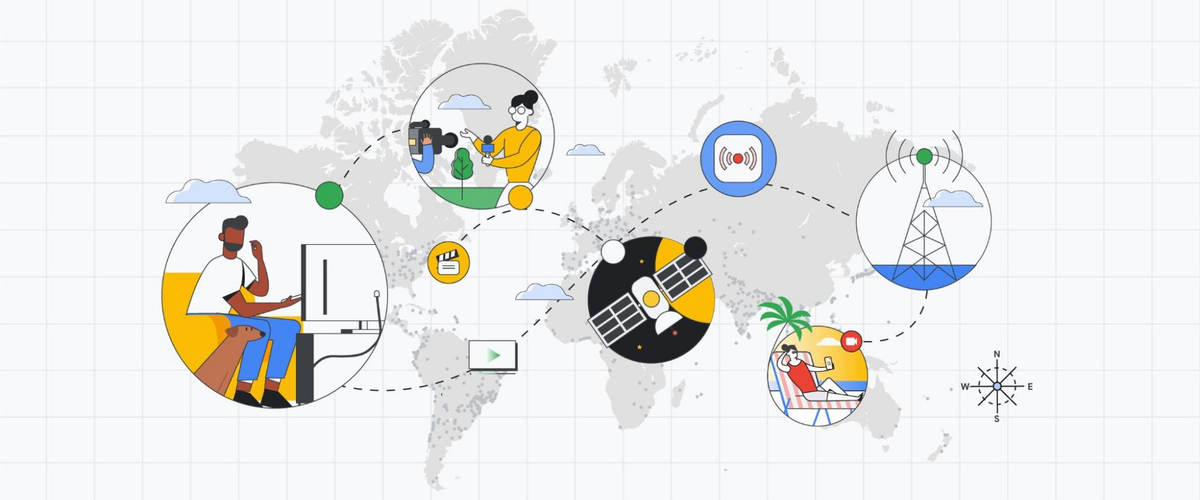
Google Cloud hỗ trợ tối ưu hóa ba loại khối lượng công việc media chính:
1. Sản Xuất Media (Media Production)
Đây là các công việc như hậu kỳ phim ảnh, chỉnh sửa video - những tác vụ đòi hỏi khả năng tính toán cao và thường sử dụng GPU. Dữ liệu media được lưu trữ trong Cloud Storage, xử lý bởi các ứng dụng chạy trên Compute Engine hoặc Google Kubernetes Engine, sau đó kết quả được ghi lại vào Cloud Storage.
Yêu cầu chính:
- Khả năng mở rộng throughput đọc/ghi
- Độ trễ thấp để giảm thiểu thời gian GPU không hoạt động
- Hiệu suất cao cho các cụm tính toán
2. Quản Lý Tài Sản Media (Media Asset Management)
Bao gồm việc tổ chức, lưu trữ và truy xuất tài sản media một cách hiệu quả. Điều này đặc biệt quan trọng khi bạn có hàng terabyte hoặc petabyte dữ liệu video cần quản lý.
3. Phân Phối Nội Dung (Content Distribution)
Bao gồm cả Video on Demand (VoD) và livestreaming. Khi người dùng yêu cầu nội dung không có trong cache CDN, nội dung sẽ được lấy từ Cloud Storage. Với livestreaming, nội dung được ghi và đọc đồng thời từ Storage bucket.
Video Segmentation - "Bí Mật" Của Netflix và YouTube
Bạn có bao giờ tự hỏi tại sao Netflix có thể stream 4K mượt mà ngay cả khi mạng của bạn không ổn định? Hay tại sao YouTube cho phép bạn jump đến bất kỳ vị trí nào trong video gần như ngay lập tức?
Câu trả lời nằm ở Video Segmentation - kỹ thuật chia nhỏ video thành các "miếng" nhỏ (segments) thay vì stream cả file khổng lồ!
Tại Sao Cần Video Segmentation?
Hãy tưởng tượng bạn đang xem một bộ phim 2GB trên Netflix:
Cách cũ (Progressive Download):
- Download toàn bộ 2GB từ đầu đến cuối
- Muốn tua đến phút 45? Đợi download đến đó!
- Mạng yếu? Video bị dừng giữa chừng
- CDN phải cache cả file 2GB
Cách mới (Segmentation):
- Video được chia thành 1000 segments x 2MB
- Muốn tua đến phút 45? Download ngay segment 450!
- Mạng yếu? Tự động chuyển xuống chất lượng thấp hơn
- CDN cache từng segment riêng biệt - hiệu quả hơn nhiều!
HLS vs DASH - Chọn Giao Thức Nào?
| Tiêu chí | HLS | DASH | Lời khuyên |
|---|---|---|---|
| iOS Support | ✅ Native | ❌ Cần player | Bắt buộc HLS cho iOS |
| Android | ✅ Via player | ✅ Native | Cả hai đều OK |
| Web | ✅ Via HLS.js | ✅ Via dash.js | Cả hai đều OK |
| Format | .ts segments | .m4s segments | HLS đơn giản hơn |
| DRM | FairPlay | Widevine/PlayReady | Tùy requirement |
Lời khuyên từ người đi trước: Nếu bạn chỉ chọn một, hãy chọn HLS! Nó hoạt động everywhere và Google Media CDN hỗ trợ tuyệt vời.
Best Practices cho Segment Duration
Đây là "công thức vàng" mà tôi đã học được sau nhiều năm thử nghiệm:
# Optimal segment duration cho từng use case
SEGMENT_CONFIGS = {
    'vod': {
        'segment_duration': 6,  # 6 giây - sweet spot cho VOD
        'reason': 'Cân bằng giữa startup time và số lượng files'
    },
    'live': {
        'segment_duration': 2,  # 2-4 giây cho livestream
        'reason': 'Low latency quan trọng hơn efficiency'
    },
    'long_form': {
        'segment_duration': 10,  # 10 giây cho video > 30 phút
        'reason': 'Giảm số lượng segments cần quản lý'
    }
}
Adaptive Bitrate Ladder - "Thang" Chất Lượng
Netflix không encode video một lần mà encode nhiều phiên bản với chất lượng khác nhau:
# Netflix-inspired bitrate ladder
QUALITY_LADDER = [
    {'name': '240p',  'bitrate': '300k',  'cho': 'Mạng 3G'},
    {'name': '360p',  'bitrate': '800k',  'cho': 'Mạng 4G yếu'},
    {'name': '480p',  'bitrate': '1400k', 'cho': 'Wifi chậm'},
    {'name': '720p',  'bitrate': '2800k', 'cho': 'Wifi tốt'},
    {'name': '1080p', 'bitrate': '5000k', 'cho': 'Fiber optic'},
]
Khi user xem video, player sẽ tự động chuyển giữa các quality levels dựa trên tốc độ mạng real-time!
Tích Hợp với Django Backend
Được rồi, đủ lý thuyết rồi! Hãy bắt tay vào code thôi. Tôi sẽ cho bạn xem cách biến Django app nhàm chán của bạn thành một "cỗ máy" xử lý media mạnh mẽ.
1. Cấu Hình Django-Storages cho GCP
Bước đầu tiên luôn là dễ nhất - cài đặt thư viện:
pip install django-storages[google]
pip install google-cloud-storage
Cấu hình trong settings.py:
# settings.py
from google.oauth2 import service_account

# GCS Configuration
GS_BUCKET_NAME = 'your-media-bucket'
GS_PROJECT_ID = 'your-project-id'
GS_CREDENTIALS = service_account.Credentials.from_service_account_file(
    'path/to/your/service-account-key.json'
)

# Media files configuration
DEFAULT_FILE_STORAGE = 'storages.backends.gcloud.GoogleCloudStorage'
MEDIA_URL = f'https://storage.googleapis.com/{GS_BUCKET_NAME}/'

# Optional: Configure chunk size for large files (default is 8MB)
GS_BLOB_CHUNK_SIZE = 1024 * 1024 * 10  # 10MB chunks
2. Custom Storage Class cho Media Files
Tạo file gcloud_storage.py để customize storage behavior:
# gcloud_storage.py
from storages.backends.gcloud import GoogleCloudStorage
from django.conf import settings

class MediaStorage(GoogleCloudStorage):
    bucket_name = settings.GS_BUCKET_NAME
    location = 'media'
    file_overwrite = False

    def __init__(self, *args, **kwargs):
        kwargs['default_acl'] = 'publicRead'  # Cho phép public access
        super().__init__(*args, **kwargs)

    def url(self, name):
        """Generate signed URL for private content"""
        return self.blob(name).generate_signed_url(
            expiration=datetime.timedelta(hours=1)
        )
3. Model Integration
# models.py
from django.db import models
from .gcloud_storage import MediaStorage

class VideoContent(models.Model):
    title = models.CharField(max_length=255)
    video_file = models.FileField(
        upload_to='videos/',
        storage=MediaStorage(),
        max_length=500
    )
    thumbnail = models.ImageField(
        upload_to='thumbnails/',
        storage=MediaStorage()
    )
    processed = models.BooleanField(default=False)
    created_at = models.DateTimeField(auto_now_add=True)

    class Meta:
        indexes = [
            models.Index(fields=['created_at']),
            models.Index(fields=['processed']),
        ]
Xử Lý Bất Đồng Bộ với Celery
Bạn có bao giờ upload một video lên Facebook và thấy nó được xử lý "như phép màu" trong background không? Đó chính là sức mạnh của async processing!
Hãy tưởng tượng: user upload video 500MB, và bạn bắt họ đợi 5 phút để transcode xong mới trả response? Chắc chắn họ sẽ tắt browser và không bao giờ quay lại! Đây là lúc Celery tỏa sáng.
1. Cấu Hình Celery với Django
# celery.py
import os
from celery import Celery
from django.conf import settings

os.environ.setdefault('DJANGO_SETTINGS_MODULE', 'myproject.settings')

app = Celery('myproject')
app.config_from_object('django.conf:settings', namespace='CELERY')
app.autodiscover_tasks()

# Celery Configuration
app.conf.update(
    task_serializer='json',
    result_serializer='json',
    accept_content=['json'],
    timezone='Asia/Ho_Chi_Minh',
    enable_utc=True,
    task_track_started=True,
    task_time_limit=30 * 60,  # 30 minutes
    task_soft_time_limit=25 * 60,  # 25 minutes
    worker_prefetch_multiplier=1,
    worker_max_tasks_per_child=1000,
)
2. Video Processing với Segmentation
Đây là phần "xương sống" của hệ thống - nơi video được chuyển đổi thành các segments nhỏ cho streaming:
# tasks.py
from celery import shared_task, group
from celery.exceptions import SoftTimeLimitExceeded
from google.cloud import storage
import ffmpeg
import logging
import os
import tempfile

logger = logging.getLogger(__name__)

@shared_task(bind=True, max_retries=3, time_limit=3600)
def process_video_with_segmentation(self, video_id):
    """
    Task chính để xử lý video với segmentation
    Flow: Analyze → Encode multiple qualities → Create segments → Upload
    """
    try:
        video = VideoContent.objects.get(id=video_id)
        video.status = 'processing'
        video.save()

        # Bước 1: Phân tích video để lấy thông tin
        video_info = analyze_video.apply_async(args=[video_id]).get()

        # Bước 2: Tạo các task encode parallel cho mỗi quality
        quality_tasks = []
        for quality in QUALITY_LADDER:
            # Chỉ tạo quality thấp hơn hoặc bằng video gốc
            if quality['height'] <= video_info['height']:
                quality_tasks.append(
                    create_hls_variant.s(video_id, quality)
                )

        # Bước 3: Execute tất cả qualities đồng thời
        job = group(quality_tasks)
        results = job.apply_async().get(timeout=3000)

        # Bước 4: Tạo master playlist
        create_master_playlist.delay(video_id)

        video.status = 'ready'
        video.save()

        return {'status': 'success', 'variants_created': len(results)}

    except Exception as exc:
        logger.error(f"Error processing video {video_id}: {str(exc)}")
        video.status = 'failed'
        video.save()
        self.retry(exc=exc, countdown=60 * (self.request.retries + 1))

@shared_task
def create_hls_variant(video_id, quality_config):
    """
    Tạo HLS segments cho một quality level
    Đây là task nặng nhất - encode video thành segments
    """
    video = VideoContent.objects.get(id=video_id)

    with tempfile.TemporaryDirectory() as temp_dir:
        # Download video từ GCS
        client = storage.Client()
        bucket = client.bucket(settings.GS_BUCKET_NAME)
        source_blob = bucket.blob(video.video_file.name)

        input_path = os.path.join(temp_dir, 'input.mp4')
        source_blob.download_to_filename(input_path)

        # Output directory cho segments
        output_dir = os.path.join(temp_dir, 'hls', quality_config['name'])
        os.makedirs(output_dir)

        # Tạo HLS segments với FFmpeg
        playlist_path = os.path.join(output_dir, 'playlist.m3u8')
        segment_pattern = os.path.join(output_dir, 'segment_%03d.ts')

        # FFmpeg command với best practices
        stream = ffmpeg.input(input_path)
        stream = ffmpeg.output(
            stream,
            playlist_path,

            # Video encoding
            vcodec='libx264',
            preset='medium',  # Balance giữa speed và quality
            video_bitrate=quality_config['bitrate'],
            s=f"{quality_config['width']}x{quality_config['height']}",

            # Audio encoding
            acodec='aac',
            audio_bitrate=quality_config['audio_bitrate'],

            # HLS settings
            format='hls',
            hls_time=6,  # 6 giây mỗi segment
            hls_list_size=0,  # Include all segments
            hls_segment_filename=segment_pattern,
            hls_playlist_type='vod',

            # Keyframe alignment QUAN TRỌNG!
            force_key_frames='expr:gte(t,n_forced*6)',
        )

        ffmpeg.run(stream, overwrite_output=True)

        # Upload segments lên GCS
        upload_segments_to_gcs(
            output_dir,
            f"videos/{video_id}/hls/{quality_config['name']}"
        )

        return {
            'quality': quality_config['name'],
            'segments_created': len(os.listdir(output_dir))
        }

def upload_segments_to_gcs(local_dir, gcs_prefix):
    """Upload segments với parallel upload cho performance"""
    from concurrent.futures import ThreadPoolExecutor

    client = storage.Client()
    bucket = client.bucket(settings.GS_BUCKET_NAME)

    def upload_file(file_path, blob_path):
        blob = bucket.blob(blob_path)

        # Set cache headers phù hợp
        if blob_path.endswith('.ts'):
            # Segments - cache forever
            blob.cache_control = "public, max-age=31536000, immutable"
        elif blob_path.endswith('.m3u8'):
            # Playlists - cache ngắn
            blob.cache_control = "public, max-age=60"

        blob.upload_from_filename(file_path)
        return blob_path

    # Upload parallel với 10 threads
    with ThreadPoolExecutor(max_workers=10) as executor:
        futures = []

        for filename in os.listdir(local_dir):
            file_path = os.path.join(local_dir, filename)
            blob_path = f"{gcs_prefix}/{filename}"

            future = executor.submit(upload_file, file_path, blob_path)
            futures.append(future)

        # Wait for all uploads
        for future in futures:
            future.result()

@shared_task
def create_master_playlist(video_id):
    """
    Tạo master playlist chứa links đến tất cả quality variants
    File này cho phép player tự động chọn quality phù hợp
    """
    video = VideoContent.objects.get(id=video_id)

    master_content = "#EXTM3U\n#EXT-X-VERSION:3\n\n"

    for quality in QUALITY_LADDER:
        playlist_path = f"hls/{quality['name']}/playlist.m3u8"

        # Check if variant exists
        client = storage.Client()
        bucket = client.bucket(settings.GS_BUCKET_NAME)
        blob = bucket.blob(f"videos/{video_id}/{playlist_path}")

        if blob.exists():
            master_content += f"#EXT-X-STREAM-INF:"
            master_content += f"BANDWIDTH={int(quality['bitrate'][:-1]) * 1000},"
            master_content += f"RESOLUTION={quality['width']}x{quality['height']}\n"
            master_content += f"{playlist_path}\n\n"

    # Upload master playlist
    master_blob = bucket.blob(f"videos/{video_id}/hls/master.m3u8")
    master_blob.upload_from_string(master_content)
    master_blob.cache_control = "public, max-age=300"
    master_blob.patch()

    return f"videos/{video_id}/hls/master.m3u8"

# Legacy tasks cho backward compatibility
@shared_task(bind=True, max_retries=3)
def process_video_upload(self, video_id):
    """Task cũ - giờ redirect sang segmentation"""
    return process_video_with_segmentation.apply_async(args=[video_id])

@shared_task
def generate_video_thumbnails(video_id, timestamps=[1, 5, 10]):
    """Generate thumbnails at specific timestamps"""
    video = VideoContent.objects.get(id=video_id)

    for timestamp in timestamps:
        # Generate thumbnail using ffmpeg
        # Save to GCS
        # Update database
        pass
3. Task Monitoring và Error Handling
# views.py
from django.views import View
from celery.result import AsyncResult

class VideoUploadView(View):
    def post(self, request):
        # Handle file upload
        video = VideoContent.objects.create(
            video_file=request.FILES['video']
        )

        # Trigger async processing
        task = process_video_upload.delay(video.id)

        return JsonResponse({
            'video_id': video.id,
            'task_id': task.id,
            'status': 'processing'
        })

    def get_task_status(self, request, task_id):
        result = AsyncResult(task_id)
        return JsonResponse({
            'task_id': task_id,
            'status': result.status,
            'result': result.result
        })
Cấu Hình Message Queue với Redis
1. Tại Sao Chọn Redis cho Celery
Có một bí mật mà nhiều developer không muốn thừa nhận: Redis + Celery là combo "quốc dân" của Python developers!
Tại sao Redis lại được yêu thích đến vậy? Hãy nghĩ về Redis như một "người bạn đa năng" trong team của bạn:
- Đơn giản như pha cà phê: Chỉ cần
apt-get install redisvà bạn đã sẵn sàng! - Nhanh như chớp: In-memory storage - dữ liệu được lưu trong RAM, không phải đĩa cứng
- Đa tài: Vừa làm message broker, vừa làm cache, vừa làm session storage - một công cụ, nhiều vai trò!
- Tiết kiệm: Nhẹ nhàng với server của bạn - 100MB RAM có thể xử lý hàng nghìn tasks
2. Cấu Hình Redis với Celery
# settings.py
# Redis Configuration
REDIS_URL = 'redis://localhost:6379'

# Celery Configuration
CELERY_BROKER_URL = f'{REDIS_URL}/0'
CELERY_RESULT_BACKEND = f'{REDIS_URL}/1'

# Task routing với Redis
CELERY_TASK_ROUTES = {
    'videos.tasks.process_video_upload': {'queue': 'video_processing'},
    'videos.tasks.generate_thumbnails': {'queue': 'thumbnails'},
    'videos.tasks.cleanup_temp_files': {'queue': 'cleanup'},
}

# Queue priority settings
CELERY_QUEUE_MAX_PRIORITY = 10
CELERY_DEFAULT_PRIORITY = 5
CELERY_ACKS_LATE = True
CELERY_TASK_REJECT_ON_WORKER_LOST = True
3. Media Processing Pipeline Đơn Giản
# pipeline.py
class MediaProcessingPipeline:
    """Simple media processing pipeline with Redis/Celery"""

    def handle_video_upload(self, video_file, user):
        # 1. Save to GCS
        video = VideoContent.objects.create(
            video_file=video_file,
            user=user,
            status='pending'
        )

        # 2. Queue processing task với priority
        priority = 10 if user.is_premium else 5

        process_video_upload.apply_async(
            args=[video.id],
            priority=priority,
            queue='video_processing'
        )

        # 3. Schedule thumbnail generation
        generate_video_thumbnails.apply_async(
            args=[video.id],
            countdown=5,  # Wait 5 seconds
            queue='thumbnails'
        )

        return video.id

    @staticmethod
    def get_processing_status(video_id):
        """Check video processing status from Redis"""
        video = VideoContent.objects.get(id=video_id)

        # Get task status from Redis
        cache_key = f"video_processing:{video_id}"
        status = cache.get(cache_key)

        return {
            'video_id': video_id,
            'status': status or video.status,
            'processed': video.processed
        }
4. Khi Nào Cần RabbitMQ hoặc Kafka?
Chắc hẳn bạn đang thắc mắc: "Khoan đã, đâu đâu cũng nghe về RabbitMQ, Kafka - những message queue đình đám. Tại sao ở đây chúng ta lại không dùng chúng?"
Câu trả lời có thể khiến bạn bất ngờ: Hầu hết các ứng dụng không cần RabbitMQ hay Kafka!
Hãy tưởng tượng bạn đang xây nhà. Bạn có thực sự cần một cần cẩu tháp chỉ để xây một ngôi nhà 2 tầng không? Redis + Celery giống như một chiếc xe tải nhỏ gọn - nó đủ sức làm được hầu hết công việc mà bạn cần:
Redis + Celery xử lý ngon lành:
- Upload và xử lý hàng nghìn video mỗi ngày
- Task queue với priority cho user VIP
- Scheduled tasks (video cleanup hàng đêm, report hàng tuần)
- Retry khi có lỗi xảy ra
Vậy khi nào bạn thực sự cần "upgrade" lên RabbitMQ?
Khi ứng dụng của bạn bắt đầu có những yêu cầu phức tạp như:
- Hàng triệu messages mỗi ngày (không phải nghìn!)
- Complex routing - ví dụ: video từ user VIP đi route này, user thường đi route khác
- Message durability tuyệt đối - không được phép mất message dù server crash
Còn Kafka - "siêu phẩm" của LinkedIn?
Kafka là vũ khí hạng nặng, chỉ nên dùng khi bạn đang xây dựng:
- Platform streaming real-time như Netflix, YouTube
- Event sourcing - lưu lại mọi thay đổi để audit
- Xử lý hàng tỷ events mỗi ngày (đúng vậy, tỷ!)
- Multiple teams cần replay lại messages
Lời khuyên từ người đi trước:
Đừng over-engineering! Netflix mới cần Kafka, startup của bạn chỉ cần Redis là đủ. Hãy nhớ câu chuyện về Twitter - họ bắt đầu với Ruby on Rails và MySQL, chỉ chuyển sang stack phức tạp khi có hàng triệu users. Start simple, scale when needed!
Frontend Player Integration với HLS.js
Bây giờ video đã được segment, làm sao để play nó trên browser? Đây là lúc HLS.js tỏa sáng!
Setup HLS.js Player
<!-- video-player.html -->
<video id="videoPlayer" controls style="width: 100%; max-width: 800px;">
</video>

<div id="qualityInfo">
    <span>Quality: <span id="currentQuality">Auto</span></span>
    <span>Buffer: <span id="bufferLevel">0s</span></span>
    <span>Bandwidth: <span id="bandwidth">0 Mbps</span></span>
</div>

<script src="https://cdn.jsdelivr.net/npm/hls.js@latest"></script>
// video-player.js
class SmartVideoPlayer {
    constructor(videoElement, manifestUrl) {
        this.video = videoElement;
        this.manifestUrl = manifestUrl;
        this.setupPlayer();
    }

    setupPlayer() {
        if (Hls.isSupported()) {
            this.hls = new Hls({
                // Cấu hình tối ưu cho smooth playback
                maxBufferLength: 30,  // Buffer tối đa 30 giây
                maxMaxBufferLength: 600,  // Tối đa tuyệt đối 10 phút
                maxBufferSize: 60 * 1000 * 1000,  // 60MB

                // ABR (Adaptive Bitrate) settings
                abrEwmaDefaultEstimate: 500000,  // Ước tính băng thông ban đầu
                abrBandWidthFactor: 0.95,  // Conservative bandwidth estimate
                abrMaxWithRealBandwidth: true,

                // Performance tuning
                enableWorker: true,  // Use web worker for better performance
                lowLatencyMode: false,  // False cho VOD, true cho livestream

                // Fragment loading
                fragLoadingTimeOut: 20000,  // Timeout 20s
                fragLoadingMaxRetry: 6,  // Retry 6 lần
                fragLoadingRetryDelay: 1000,  // Delay 1s giữa retry
            });

            // Load video
            this.hls.loadSource(this.manifestUrl);
            this.hls.attachMedia(this.video);

            // Monitor events
            this.setupEventListeners();

            // Start playback when ready
            this.hls.on(Hls.Events.MANIFEST_PARSED, () => {
                console.log('Video ready to play');
                // Auto-play if needed
                // this.video.play();
            });
        } else if (this.video.canPlayType('application/vnd.apple.mpegurl')) {
            // Native HLS support (Safari/iOS)
            this.video.src = this.manifestUrl;
        }
    }

    setupEventListeners() {
        // Monitor quality switches
        this.hls.on(Hls.Events.LEVEL_SWITCHED, (event, data) => {
            const level = this.hls.levels[data.level];
            document.getElementById('currentQuality').textContent =
                `${level.height}p @ ${Math.round(level.bitrate/1000)}kbps`;

            // Send analytics
            this.trackEvent('quality_switch', {
                from: data.previousLevel,
                to: data.level,
                height: level.height,
                bitrate: level.bitrate
            });
        });

        // Monitor buffer
        this.hls.on(Hls.Events.FRAG_BUFFERED, () => {
            const buffered = this.getBufferedAmount();
            document.getElementById('bufferLevel').textContent = `${buffered.toFixed(1)}s`;

            // Warning nếu buffer thấp
            if (buffered < 2 && !this.video.paused) {
                console.warn('Low buffer! Risk of stalling');
                this.trackEvent('low_buffer', { seconds: buffered });
            }
        });

        // Monitor bandwidth
        this.hls.on(Hls.Events.FRAG_LOADED, (event, data) => {
            const bandwidth = data.stats.bwEstimate;
            if (bandwidth) {
                const mbps = (bandwidth / 1000000).toFixed(2);
                document.getElementById('bandwidth').textContent = `${mbps} Mbps`;
            }
        });

        // Error handling
        this.hls.on(Hls.Events.ERROR, (event, data) => {
            this.handleError(data);
        });
    }

    getBufferedAmount() {
        const buffered = this.video.buffered;
        if (buffered.length > 0) {
            return buffered.end(buffered.length - 1) - this.video.currentTime;
        }
        return 0;
    }

    handleError(data) {
        console.error('Player error:', data);

        if (data.fatal) {
            switch (data.type) {
                case Hls.ErrorTypes.NETWORK_ERROR:
                    console.error('Network error - retrying...');
                    setTimeout(() => {
                        this.hls.startLoad();
                    }, 1000);
                    break;

                case Hls.ErrorTypes.MEDIA_ERROR:
                    console.error('Media error - recovering...');
                    this.hls.recoverMediaError();
                    break;

                default:
                    console.error('Fatal error - destroying player');
                    this.hls.destroy();
                    break;
            }
        }
    }

    trackEvent(eventName, data) {
        // Send to analytics backend
        fetch('/api/player-analytics', {
            method: 'POST',
            headers: { 'Content-Type': 'application/json' },
            body: JSON.stringify({
                event: eventName,
                data: data,
                timestamp: Date.now(),
                video_id: this.getVideoId()
            })
        });
    }

    getVideoId() {
        // Extract từ URL hoặc data attribute
        return this.video.dataset.videoId || 'unknown';
    }

    // Public methods
    setQuality(levelIndex) {
        if (levelIndex === -1) {
            // Auto quality
            this.hls.currentLevel = -1;
        } else if (levelIndex < this.hls.levels.length) {
            this.hls.currentLevel = levelIndex;
        }
    }

    destroy() {
        if (this.hls) {
            this.hls.destroy();
        }
    }
}

// Usage
const player = new SmartVideoPlayer(
    document.getElementById('videoPlayer'),
    'https://storage.googleapis.com/your-bucket/videos/123/hls/master.m3u8'
);
Tích Hợp với Django Views
# views.py
from django.views.generic import DetailView
from django.http import JsonResponse

class VideoPlayerView(DetailView):
    model = VideoContent
    template_name = 'video_player.html'

    def get_context_data(self, **kwargs):
        context = super().get_context_data(**kwargs)
        video = self.object

        # Generate CDN URL hoặc signed URL
        if settings.USE_CDN:
            manifest_url = f"https://cdn.yourdomain.com/videos/{video.id}/hls/master.m3u8"
        else:
            # Direct GCS URL với signed URL cho security
            manifest_url = self.generate_signed_url(video)

        context['manifest_url'] = manifest_url
        context['video_title'] = video.title
        context['video_id'] = str(video.id)

        return context

    def generate_signed_url(self, video):
        """Generate signed URL có expiration"""
        from google.cloud import storage
        import datetime

        client = storage.Client()
        bucket = client.bucket(settings.GS_BUCKET_NAME)
        blob = bucket.blob(f"videos/{video.id}/hls/master.m3u8")

        url = blob.generate_signed_url(
            version="v4",
            expiration=datetime.timedelta(hours=2),
            method="GET"
        )
        return url

class PlayerAnalyticsView(View):
    """Collect player analytics"""

    def post(self, request):
        data = json.loads(request.body)

        # Log to database or analytics service
        PlayerEvent.objects.create(
            video_id=data['video_id'],
            event_type=data['event'],
            event_data=data['data'],
            user=request.user if request.user.is_authenticated else None,
            ip_address=request.META.get('REMOTE_ADDR'),
            user_agent=request.META.get('HTTP_USER_AGENT')
        )

        # Track important metrics
        if data['event'] == 'quality_switch':
            cache.incr(f"quality_switches:{data['video_id']}")
        elif data['event'] == 'low_buffer':
            cache.incr(f"buffer_warnings:{data['video_id']}")

        return JsonResponse({'status': 'ok'})
DRM (Digital Rights Management) - Bảo Vệ Nội Dung Premium
DRM Là Gì và Tại Sao Bạn Cần Nó?
DRM (Digital Rights Management - Quản lý bản quyền số) là công nghệ mã hóa video để ngăn chặn việc download và chia sẻ trái phép. Hãy tưởng tượng DRM như một "chiếc khóa số" cho video của bạn!
Khi nào cần DRM?
- Content premium: Phim mới, khóa học có phí, nội dung độc quyền
- Live events: Concert, thể thao trực tiếp
- Enterprise training: Video đào tạo nội bộ công ty
- Kids content: Bảo vệ nội dung trẻ em theo quy định
Khi nào KHÔNG cần DRM?
- Video marketing, quảng cáo
- Content miễn phí, open source
- Video hướng dẫn công khai
- Startup giai đoạn đầu (DRM rất phức tạp và tốn kém!)
Các Hệ Thống DRM Phổ Biến
| DRM System | Devices | Browser | Sử dụng bởi |
|---|---|---|---|
| Widevine | Android, Chrome, Firefox | ✅ | Netflix, YouTube Premium |
| FairPlay | iOS, Safari, Apple TV | ✅ | Apple TV+, iTunes |
| PlayReady | Windows, Edge, Xbox | ✅ | Microsoft, Hulu |
| ClearKey | Cross-platform | ✅ | Testing, simple protection |
Cách DRM Hoạt Động
1. Video được mã hóa (encrypted) với key
2. Key được lưu trên License Server (không phải trong video!)
3. Player request license với authentication
4. License server verify quyền xem
5. Nếu OK, gửi key để decrypt video
6. Video được decrypt và play trong secure environment
Lưu ý: Video KHÔNG BAO GIỜ được decrypt hoàn toàn trên disk! Chỉ decrypt từng segment trong memory.
Implementation DRM với Django + Google Cloud
1. Setup Widevine DRM (Phổ biến nhất)
# drm_config.py
import base64
import json
from cryptography.hazmat.primitives import serialization
from cryptography.hazmat.primitives.asymmetric import rsa
from cryptography.hazmat.backends import default_backend

class DRMConfiguration:
    """Configure DRM cho video protection"""

    def __init__(self):
        self.widevine_provider = 'widevine_test'  # hoặc your provider
        self.key_server_url = 'https://license.company.com/widevine'

    def generate_content_key(self, video_id):
        """Generate unique key cho mỗi video"""
        import secrets

        # Generate 128-bit key
        content_key = secrets.token_bytes(16)
        key_id = secrets.token_bytes(16)

        # Store trong database
        DRMKey.objects.create(
            video_id=video_id,
            key_id=base64.b64encode(key_id).decode(),
            content_key=base64.b64encode(content_key).decode(),
            created_at=timezone.now()
        )

        return key_id, content_key

    def create_pssh_box(self, key_id):
        """Create PSSH (Protection System Specific Header) cho Widevine"""

        widevine_pssh = {
            'provider': self.widevine_provider,
            'content_id': base64.b64encode(key_id).decode(),
            'policy': 'default'
        }

        # Encode PSSH box
        pssh_data = base64.b64encode(
            json.dumps(widevine_pssh).encode()
        ).decode()

        return pssh_data

# models.py
class DRMKey(models.Model):
    """Store encryption keys cho DRM"""
    video = models.ForeignKey(Video, on_delete=models.CASCADE)
    key_id = models.CharField(max_length=255, unique=True)
    content_key = models.CharField(max_length=255)

    # DRM metadata
    pssh_widevine = models.TextField(null=True)
    pssh_fairplay = models.TextField(null=True)

    created_at = models.DateTimeField(auto_now_add=True)
    expires_at = models.DateTimeField(null=True)

    class Meta:
        indexes = [
            models.Index(fields=['video', 'key_id']),
        ]
2. Encrypt Video với FFmpeg
# tasks.py
@shared_task
def encrypt_video_with_drm(video_id):
    """Encrypt video segments với DRM"""

    video = Video.objects.get(id=video_id)
    drm_config = DRMConfiguration()

    # Generate keys
    key_id, content_key = drm_config.generate_content_key(video_id)

    with tempfile.TemporaryDirectory() as temp_dir:
        # Download original video
        input_path = download_from_gcs(video.original_file, temp_dir)

        # Encrypt với Widevine
        encrypted_output = os.path.join(temp_dir, 'encrypted')
        os.makedirs(encrypted_output)

        # FFmpeg command cho encryption
        stream = ffmpeg.input(input_path)
        stream = ffmpeg.output(
            stream,
            os.path.join(encrypted_output, 'manifest.mpd'),

            # Video settings
            vcodec='libx264',
            preset='medium',

            # DRM Encryption
            format='dash',
            use_timeline=1,
            use_template=1,

            # Widevine encryption
            encryption_scheme='cenc-aes-ctr',
            encryption_key=content_key.hex(),
            encryption_kid=key_id.hex(),

            # HLS với FairPlay (cho iOS)
            hls_playlist=1,
            hls_key_info_file=create_key_info_file(key_id, content_key),

            # Multi-DRM
            adaptation_sets='id=0,streams=v id=1,streams=a',
        )

        ffmpeg.run(stream, overwrite_output=True)

        # Upload encrypted content
        upload_to_gcs(encrypted_output, f'videos/{video_id}/encrypted/')

        # Save DRM info
        drm_key = DRMKey.objects.get(video_id=video_id)
        drm_key.pssh_widevine = drm_config.create_pssh_box(key_id)
        drm_key.save()

        return {'status': 'encrypted', 'key_id': key_id.hex()}
3. License Server với Django
# drm_views.py
from django.views import View
from django.http import HttpResponse, JsonResponse
import jwt

class WidevineLicenseView(View):
    """Widevine license server endpoint"""

    def post(self, request):
        # Verify user authentication
        if not request.user.is_authenticated:
            return HttpResponse(status=401)

        # Parse license request
        license_request = request.body

        # Extract key_id từ request
        key_id = self.extract_key_id(license_request)

        # Check user có quyền xem video này không
        if not self.check_user_permission(request.user, key_id):
            return HttpResponse(status=403)

        # Get content key từ database
        try:
            drm_key = DRMKey.objects.get(key_id=key_id)
        except DRMKey.DoesNotExist:
            return HttpResponse(status=404)

        # Generate license response
        license_response = self.generate_license(
            drm_key.content_key,
            policy=self.get_user_policy(request.user)
        )

        # Log for analytics
        DRMLicenseLog.objects.create(
            user=request.user,
            video_id=drm_key.video_id,
            key_id=key_id,
            ip_address=request.META.get('REMOTE_ADDR'),
            granted=True
        )

        return HttpResponse(
            license_response,
            content_type='application/octet-stream'
        )

    def get_user_policy(self, user):
        """Define DRM policy cho user"""

        policy = {
            'can_persist': False,  # Không cho download
            'can_play': True,
            'rental_duration_seconds': 48 * 3600,  # 48 giờ
            'playback_duration_seconds': 6 * 3600,  # 6 giờ sau khi start
            'license_duration_seconds': 7 * 24 * 3600,  # 7 ngày
        }

        # Premium users có thể xem offline
        if user.is_premium:
            policy['can_persist'] = True
            policy['rental_duration_seconds'] = 30 * 24 * 3600  # 30 ngày

        return policy

class FairPlayCertificateView(View):
    """Apple FairPlay certificate endpoint"""

    def get(self, request):
        # Return FairPlay certificate
        with open('fairplay_cert.der', 'rb') as f:
            certificate = f.read()

        return HttpResponse(
            certificate,
            content_type='application/x-x509-ca-cert'
        )
4. Frontend Player với DRM
// drm-player.js
class DRMVideoPlayer {
    constructor(videoElement, manifestUrl, licenseUrl) {
        this.video = videoElement;
        this.manifestUrl = manifestUrl;
        this.licenseUrl = licenseUrl;

        this.initializePlayer();
    }

    async initializePlayer() {
        // Use Shaka Player cho DRM support
        const shaka = window.shaka;

        // Check browser support
        if (!shaka.Player.isBrowserSupported()) {
            console.error('Browser không support DRM!');
            return;
        }

        // Create player
        this.player = new shaka.Player(this.video);

        // Configure DRM
        this.player.configure({
            drm: {
                servers: {
                    'com.widevine.alpha': this.licenseUrl + '/widevine',
                    'com.apple.fps.1_0': this.licenseUrl + '/fairplay',
                    'com.microsoft.playready': this.licenseUrl + '/playready'
                },
                advanced: {
                    'com.widevine.alpha': {
                        'videoRobustness': 'SW_SECURE_CRYPTO',
                        'audioRobustness': 'SW_SECURE_CRYPTO'
                    }
                }
            },
            streaming: {
                bufferingGoal: 30,
                rebufferingGoal: 15
            }
        });

        // Add request filter cho authentication
        this.player.getNetworkingEngine().registerRequestFilter(
            (type, request) => {
                if (type === shaka.net.NetworkingEngine.RequestType.LICENSE) {
                    // Add auth token
                    request.headers['Authorization'] =
                        'Bearer ' + this.getAuthToken();
                }
            }
        );

        // Load manifest
        try {
            await this.player.load(this.manifestUrl);
            console.log('DRM content loaded successfully');
        } catch (error) {
            this.handleDRMError(error);
        }
    }

    handleDRMError(error) {
        console.error('DRM Error:', error);

        // User-friendly error messages
        const errorMessages = {
            6001: 'Trình duyệt không hỗ trợ DRM',
            6002: 'Không thể kết nối license server',
            6003: 'License expired - vui lòng làm mới',
            6004: 'Bạn không có quyền xem video này',
            6005: 'DRM certificate không hợp lệ',
            6007: 'Vượt quá số lượng thiết bị cho phép',
        };

        const message = errorMessages[error.code] ||
                       'Lỗi phát video được bảo vệ';

        this.showError(message);
    }

    getAuthToken() {
        // Get từ localStorage hoặc cookie
        return localStorage.getItem('auth_token');
    }

    showError(message) {
        const errorDiv = document.createElement('div');
        errorDiv.className = 'drm-error';
        errorDiv.textContent = message;
        this.video.parentElement.appendChild(errorDiv);
    }
}

// Usage
const drmPlayer = new DRMVideoPlayer(
    document.getElementById('videoPlayer'),
    'https://cdn.example.com/video/manifest.mpd',
    'https://license.example.com/drm'
);
DRM Testing và Debugging
# drm_test.py
class DRMTestCase(TestCase):
    """Test DRM functionality"""

    def test_content_key_generation(self):
        """Test key generation là unique"""
        drm = DRMConfiguration()
        key1 = drm.generate_content_key('video1')
        key2 = drm.generate_content_key('video2')

        self.assertNotEqual(key1, key2)

    def test_license_request_unauthorized(self):
        """Test unauthorized users không thể get license"""
        response = self.client.post(
            '/drm/license/widevine',
            data=b'fake_license_request'
        )

        self.assertEqual(response.status_code, 401)

    def test_drm_playback_policy(self):
        """Test DRM policies được apply đúng"""
        # Test rental duration
        # Test concurrent streams
        # Test offline playback
        pass
Lưu Ý Quan Trọng về DRM
⚠️ DRM KHÔNG PHẢI LÀ 100% AN TOÀN!
- DRM chỉ làm khó việc copy, không phải impossible
- Screen recording vẫn hoạt động
- DRM làm phức tạp hệ thống và tăng cost
- Cần license từ DRM providers (Widevine, FairPlay)
💡 Best Practices:
- Chỉ dùng DRM cho content thực sự có giá trị
- Combine với watermarking (chèn ID người xem)
- Monitor abnormal viewing patterns
- Có fallback cho browsers không support DRM
- Test kỹ trên nhiều devices/browsers
💰 Chi phí DRM:
- Widevine License: ~$0.005/stream
- Encoding cost tăng 20-30%
- Storage tăng (cần lưu encrypted versions)
- Development complexity cao
Tích Hợp Google Media CDN
Google Media CDN không chỉ là "shipper" - nó là "shipper thông minh" biết cách optimize video delivery!
Cấu Hình Media CDN
# media_cdn_config.py
from google.cloud import compute_v1

class MediaCDNSetup:
    """Setup Google Media CDN cho video delivery"""

    @staticmethod
    def create_cdn_configuration():
        """Tạo CDN configuration optimized cho video"""

        return {
            'name': 'video-cdn',
            'description': 'CDN for HLS video streaming',

            # Origin configuration
            'origins': [{
                'name': 'gcs-origin',
                'type': 'GCS',
                'bucket': settings.GS_BUCKET_NAME,
                'region': 'us-central1',
            }],

            # Caching policies
            'cachePolicies': {
                'segments': {
                    'name': 'video-segments',
                    'patterns': ['*.ts', '*.m4s'],
                    'ttl': '365d',  # Cache segments vĩnh viễn
                    'cacheMode': 'CACHE_ALL',
                    'negativeCaching': False,
                },
                'playlists': {
                    'name': 'playlists',
                    'patterns': ['*.m3u8', '*.mpd'],
                    'ttl': '1m',  # Playlist cache ngắn
                    'cacheMode': 'CACHE_DYNAMIC',
                    'negativeCaching': True,
                    'negativeTTL': {
                        '404': '5m',  # Cache 404 trong 5 phút
                    }
                },
                'thumbnails': {
                    'name': 'thumbnails',
                    'patterns': ['*.jpg', '*.png', '*.webp'],
                    'ttl': '7d',
                    'cacheMode': 'CACHE_ALL',
                }
            },

            # Routing rules
            'routingRules': [{
                'priority': 1,
                'matchRules': [{
                    'prefixMatch': '/videos/',
                }],
                'origin': 'gcs-origin',
                'cachePolicyName': 'video-segments',
                'requestHeadersToAdd': {
                    'X-CDN-Region': '{client_region}',
                    'X-CDN-Cache-Status': '{cache_status}',
                }
            }],

            # Performance features
            'features': {
                'http2': True,
                'http3': True,  # QUIC protocol
                'brotliCompression': True,
                'gzipCompression': True,

                # Video-specific optimizations
                'rangeRequests': True,  # Cho phép seek
                'partialResponseCaching': True,

                # Security
                'signedRequests': {
                    'enabled': True,
                    'keyName': 'video-signing-key',
                    'signatureAlgorithm': 'ED25519',
                },

                # Analytics
                'logging': {
                    'enabled': True,
                    'sampleRate': 1.0,
                    'logBucket': 'cdn-logs-bucket',
                }
            },

            # Edge locations
            'edgeLocations': 'GLOBAL',  # hoặc specific regions

            # Health checks
            'healthCheck': {
                'path': '/health',
                'interval': '10s',
                'timeout': '5s',
                'unhealthyThreshold': 2,
                'healthyThreshold': 2,
            }
        }

    @staticmethod
    def setup_cdn_headers_in_gcs():
        """Configure GCS objects với proper headers cho CDN"""

        client = storage.Client()
        bucket = client.bucket(settings.GS_BUCKET_NAME)

        # Batch update metadata cho performance
        batch_updates = []

        for blob in bucket.list_blobs(prefix='videos/'):
            if blob.name.endswith('.ts'):
                # Video segments - immutable
                blob.cache_control = 'public, max-age=31536000, immutable'
                blob.content_encoding = 'identity'  # No compression

            elif blob.name.endswith('.m3u8'):
                # Playlists - short cache
                blob.cache_control = 'public, max-age=60, must-revalidate'
                blob.content_type = 'application/vnd.apple.mpegurl'

            elif blob.name.endswith('.jpg'):
                # Thumbnails
                blob.cache_control = 'public, max-age=604800'  # 7 days
                blob.content_type = 'image/jpeg'

            batch_updates.append(blob)

            # Update in batches of 100
            if len(batch_updates) >= 100:
                with bucket.client.batch():
                    for b in batch_updates:
                        b.patch()
                batch_updates = []

        # Final batch
        if batch_updates:
            with bucket.client.batch():
                for b in batch_updates:
                    b.patch()
Monitoring CDN Performance
# cdn_monitoring.py
from google.cloud import monitoring_v3
import time

class CDNMonitor:
    """Monitor CDN performance metrics"""

    def __init__(self):
        self.client = monitoring_v3.MetricServiceClient()
        self.project_name = f"projects/{settings.GCP_PROJECT_ID}"

    def get_cache_hit_rate(self, hours=1):
        """Calculate CDN cache hit rate"""

        interval = monitoring_v3.TimeInterval(
            {
                "end_time": {"seconds": int(time.time())},
                "start_time": {"seconds": int(time.time() - hours * 3600)},
            }
        )

        results = self.client.list_time_series(
            request={
                "name": self.project_name,
                "filter": 'metric.type="cdn.googleapis.com/edge/cache_hit_ratio"',
                "interval": interval,
            }
        )

        total_hits = 0
        total_requests = 0

        for result in results:
            for point in result.points:
                total_hits += point.value.double_value

        # Return percentage
        return (total_hits / total_requests * 100) if total_requests > 0 else 0

    def get_bandwidth_usage(self):
        """Get CDN bandwidth usage"""
        # Implementation
        pass

    def get_origin_latency(self):
        """Measure latency từ CDN đến origin"""
        # Implementation
        pass

    def alert_on_high_origin_traffic(self, threshold_percent=20):
        """Alert nếu quá nhiều traffic hit origin (cache miss cao)"""
        cache_hit_rate = self.get_cache_hit_rate()

        if cache_hit_rate < (100 - threshold_percent):
            # Send alert
            send_alert(
                f"High origin traffic detected! Cache hit rate: {cache_hit_rate:.2f}%"
            )
Best Practices cho Django + GCP Media Workloads
Sau nhiều năm "vật lộn" với media processing, tôi đã học được một số bài học đắt giá (đắt theo đúng nghĩa đen - có lần bill GCP lên tới vài nghìn đô chỉ vì config sai!). Hãy để tôi chia sẻ những kinh nghiệm xương máu này với bạn.
1. Chunked Upload cho Large Files
Bạn có biết tại sao Dropbox có thể upload file 10GB mượt mà ngay cả khi mạng không ổn định? Bí mật nằm ở chunked upload!
# views.py
from django.views.decorators.csrf import csrf_exempt
import hashlib

@csrf_exempt
def chunked_upload(request):
    """Handle chunked file uploads"""
    if request.method == 'POST':
        chunk = request.FILES.get('chunk')
        chunk_index = int(request.POST.get('chunkIndex'))
        total_chunks = int(request.POST.get('totalChunks'))
        file_id = request.POST.get('fileId')

        # Store chunk temporarily
        temp_path = f'/tmp/upload_{file_id}_{chunk_index}'
        with open(temp_path, 'wb+') as destination:
            for chunk_data in chunk.chunks():
                destination.write(chunk_data)

        # If all chunks received, combine and upload to GCS
        if chunk_index == total_chunks - 1:
            combine_and_upload_to_gcs(file_id, total_chunks)

        return JsonResponse({'status': 'chunk_received'})
2. Signed URLs cho Direct Upload
# views.py
from google.cloud import storage
import datetime

def get_upload_url(request):
    """Generate signed URL for direct browser-to-GCS upload"""
    client = storage.Client()
    bucket = client.bucket(settings.GS_BUCKET_NAME)

    blob_name = f"uploads/{uuid.uuid4()}/{request.GET.get('filename')}"
    blob = bucket.blob(blob_name)

    url = blob.generate_signed_url(
        version="v4",
        expiration=datetime.timedelta(minutes=15),
        method="PUT",
        content_type=request.GET.get('contentType')
    )

    return JsonResponse({
        'uploadUrl': url,
        'blobName': blob_name
    })
3. Caching Strategy với Redis
# cache_utils.py
from django.core.cache import cache
import json

class VideoMetadataCache:
    def __init__(self):
        self.prefix = 'video_meta'
        self.ttl = 3600  # 1 hour

    def get(self, video_id):
        key = f"{self.prefix}:{video_id}"
        data = cache.get(key)
        return json.loads(data) if data else None

    def set(self, video_id, metadata):
        key = f"{self.prefix}:{video_id}"
        cache.set(key, json.dumps(metadata), self.ttl)

    def invalidate(self, video_id):
        key = f"{self.prefix}:{video_id}"
        cache.delete(key)
4. Monitoring và Metrics
# monitoring.py
from django.core.management.base import BaseCommand
from prometheus_client import Counter, Histogram, Gauge
import time

# Prometheus metrics
video_upload_counter = Counter('video_uploads_total', 'Total video uploads')
video_processing_time = Histogram('video_processing_seconds', 'Video processing time')
active_processing_gauge = Gauge('active_video_processing', 'Currently processing videos')

class VideoProcessingMonitor:
    @staticmethod
    def track_upload():
        video_upload_counter.inc()

    @staticmethod
    def track_processing(video_id):
        start_time = time.time()
        active_processing_gauge.inc()

        try:
            # Processing logic
            yield
        finally:
            processing_time = time.time() - start_time
            video_processing_time.observe(processing_time)
            active_processing_gauge.dec()
Tối Ưu Performance cho Production
1. Database Optimization
# models.py
class VideoContent(models.Model):
    # ... fields ...

    class Meta:
        indexes = [
            models.Index(fields=['created_at', '-processed']),
            models.Index(fields=['user', 'created_at']),
        ]

    def save(self, *args, **kwargs):
        # Use update_fields to minimize database writes
        if self.pk:
            kwargs['update_fields'] = ['processed', 'updated_at']
        super().save(*args, **kwargs)
2. Connection Pooling
# settings.py
DATABASES = {
    'default': {
        'ENGINE': 'django.db.backends.postgresql',
        'OPTIONS': {
            'connect_timeout': 10,
            'options': '-c statement_timeout=30000'  # 30 seconds
        },
        'CONN_MAX_AGE': 600,  # Connection pooling
    }
}

# GCS Connection pooling
from google.cloud import storage

class GCSConnectionPool:
    _instance = None

    def __new__(cls):
        if cls._instance is None:
            cls._instance = super().__new__(cls)
            cls._instance.client = storage.Client()
        return cls._instance

    def get_bucket(self, bucket_name):
        return self.client.bucket(bucket_name)
3. Rate Limiting và Throttling
# decorators.py
from django.core.cache import cache
from functools import wraps
import time

def rate_limit(max_calls=10, time_window=60):
    def decorator(func):
        @wraps(func)
        def wrapper(request, *args, **kwargs):
            user_id = request.user.id
            cache_key = f"rate_limit:{func.__name__}:{user_id}"

            calls = cache.get(cache_key, 0)
            if calls >= max_calls:
                return JsonResponse(
                    {'error': 'Rate limit exceeded'},
                    status=429
                )

            cache.set(cache_key, calls + 1, time_window)
            return func(request, *args, **kwargs)
        return wrapper
    return decorator

# Usage
@rate_limit(max_calls=5, time_window=60)
def upload_video(request):
    # Handle video upload
    pass
Deployment và Scaling
"Ship it!" - câu thần chú của mọi developer. Nhưng deploy một hệ thống media processing không phải chỉ là git push và cầu nguyện. Hãy xem cách làm điều này một cách chuyên nghiệp!
1. Docker Configuration
Docker giúp bạn tránh được câu nói kinh điển: "Nhưng nó chạy ngon trên máy em mà!"
# Dockerfile
FROM python:3.11-slim

# Install system dependencies
RUN apt-get update && apt-get install -y \
    ffmpeg \
    libpq-dev \
    gcc \
    && rm -rf /var/lib/apt/lists/*

WORKDIR /app

# Install Python dependencies
COPY requirements.txt .
RUN pip install --no-cache-dir -r requirements.txt

COPY . .

# Run Django
CMD ["gunicorn", "myproject.wsgi:application", "--bind", "0.0.0.0:8000", "--workers", "4"]
# docker-compose.yml
version: '3.8'

services:
  django:
    build: .
    environment:
      - DJANGO_SETTINGS_MODULE=myproject.settings.production
      - REDIS_URL=redis://redis:6379
    depends_on:
      - postgres
      - redis
    volumes:
      - ./media:/app/media
    ports:
      - "8000:8000"

  celery_worker:
    build: .
    command: celery -A myproject worker -l info -Q video_processing,thumbnails,cleanup
    environment:
      - DJANGO_SETTINGS_MODULE=myproject.settings.production
      - REDIS_URL=redis://redis:6379
    depends_on:
      - redis
      - postgres

  celery_beat:
    build: .
    command: celery -A myproject beat -l info
    environment:
      - DJANGO_SETTINGS_MODULE=myproject.settings.production
      - REDIS_URL=redis://redis:6379
    depends_on:
      - redis

  postgres:
    image: postgres:15
    environment:
      - POSTGRES_DB=mediadb
      - POSTGRES_USER=media_user
      - POSTGRES_PASSWORD=secure_password
    volumes:
      - postgres_data:/var/lib/postgresql/data
    ports:
      - "5432:5432"

  redis:
    image: redis:7-alpine
    command: redis-server --maxmemory 512mb --maxmemory-policy allkeys-lru
    ports:
      - "6379:6379"
    volumes:
      - redis_data:/data

volumes:
  postgres_data:
  redis_data:
2. Kubernetes Deployment
# k8s-deployment.yaml
apiVersion: apps/v1
kind: Deployment
metadata:
  name: django-media-app
spec:
  replicas: 3
  selector:
    matchLabels:
      app: django-media
  template:
    metadata:
      labels:
        app: django-media
    spec:
      containers:
      - name: django
        image: gcr.io/project-id/django-media:latest
        resources:
          requests:
            memory: "512Mi"
            cpu: "500m"
          limits:
            memory: "1Gi"
            cpu: "1000m"
        env:
        - name: GS_BUCKET_NAME
          valueFrom:
            secretKeyRef:
              name: gcs-secret
              key: bucket_name
---
apiVersion: v1
kind: Service
metadata:
  name: django-media-service
spec:
  selector:
    app: django-media
  ports:
    - port: 80
      targetPort: 8000
  type: LoadBalancer
Monitoring và Troubleshooting
Có một sự thật phũ phàng: "Hệ thống của bạn sẽ crash vào lúc 3 giờ sáng thứ Bảy, khi bạn đang ngủ say sau một tuần làm việc mệt mỏi."
Làm thế nào để không bị gọi dậy lúc 3 giờ sáng? Monitoring tốt là câu trả lời!
Các Metrics Quan Trọng
- Application Metrics:
- Request latency
- Upload success/failure rate
- Processing queue length
- Active processing tasks
- Infrastructure Metrics:
- CPU/Memory usage
- Disk I/O
- Network throughput
- Database connections
- Business Metrics:
- Videos processed per hour
- Average processing time
- Storage usage trends
- CDN hit rate
Error Handling Best Practices
# error_handling.py
import logging
from django.conf import settings
from sentry_sdk import capture_exception

logger = logging.getLogger(__name__)

class MediaErrorHandler:
    @staticmethod
    def handle_upload_error(video_id, error):
        logger.error(f"Upload failed for video {video_id}: {str(error)}")

        if settings.SENTRY_DSN:
            capture_exception(error)

        # Update database
        VideoContent.objects.filter(id=video_id).update(
            status='failed',
            error_message=str(error)
        )

        # Send notification
        send_failure_notification(video_id, error)

    @staticmethod
    def handle_processing_error(task_id, error):
        # Implement exponential backoff retry
        retry_count = get_retry_count(task_id)
        if retry_count < MAX_RETRIES:
            delay = 2 ** retry_count * 60  # Exponential backoff
            reschedule_task(task_id, delay)
        else:
            mark_task_as_failed(task_id, error)
Những Lỗi Thường Gặp và Cách Tránh
Trước khi đến với checklist, hãy để tôi kể cho bạn nghe những "tai nạn" mà tôi (và nhiều người khác) đã gặp phải:
Lỗi 1: Upload trực tiếp file lớn qua Django
Vấn đề: User upload video 2GB, Django server "treo" 10 phút, timeout, user bực bội.
Giải pháp: Luôn dùng signed URLs để upload trực tiếp lên GCS, bypass Django server.
Lỗi 2: Quên set lifecycle policies
Vấn đề: Sau 6 tháng, bill storage tăng vọt vì giữ cả đống video tạm, thumbnails test.
Giải pháp: Set lifecycle rules ngay từ đầu - tự động xóa temp files sau 7 ngày, archive old videos sau 30 ngày.
Lỗi 3: Không có retry mechanism
Vấn đề: Video processing fail do network hiccup, user mất video, phải upload lại.
Giải pháp: Luôn configure Celery retry với exponential backoff.
Lỗi 4: Process video ngay trong request
Vấn đề: User upload xong phải đợi, browser timeout, bad UX.
Giải pháp: Return ngay response "Processing…", xử lý async với Celery.
Lỗi 5: Public bucket với sensitive content
Vấn đề: Google index video riêng tư của users, privacy nightmare!
Giải pháp: Luôn dùng signed URLs với expiration time ngắn (1-2 giờ).
Kết Luận
Phù! Chúng ta đã đi qua một hành trình dài từ việc hiểu cách YouTube xử lý 500 giờ video mỗi phút, cho đến việc xây dựng hệ thống media processing với HLS segmentation của riêng mình.
Stack "vàng" mà tôi khuyên bạn nên dùng:
- Django - Framework web "trâu bò" của Python
- Celery - "Người hùng thầm lặng" xử lý async và parallel encoding
- Redis - "Cây đa năng" vừa làm broker, vừa làm cache
- PostgreSQL - Database "tin cậy như Toyota"
- GCS - "Kho chứa" không giới hạn của Google
- Media CDN - "Shipper thông minh" với edge caching
- HLS - Protocol streaming "quốc dân" hoạt động everywhere
- FFmpeg - "Thợ xẻ video" đa năng và mạnh mẽ
Năm bài học quan trọng nhất từ journey này:
- Video Segmentation là must-have: Đừng stream file MP4 khổng lồ! HLS segments cho phép adaptive bitrate, fast seeking, và CDN caching hiệu quả. 6 giây/segment là sweet spot cho VOD.
- Parallel processing là chìa khóa: Encode 5 quality variants đồng thời với Celery group tasks. Upload segments parallel với ThreadPoolExecutor. Time is money!
- Cache headers matter: Segments = cache forever (immutable), Playlists = cache ngắn (60s). Sai cache headers = CDN miss = bill tăng vọt!
- Đừng over-engineering: Instagram bắt đầu với Django + PostgreSQL trên một server duy nhất. Họ serve được 25,000 users trước khi cần scale. Startup của bạn chưa cần Kafka!
- Monitor everything: Cache hit rate < 90%? Buffer warnings tăng? Quality switches quá nhiều? Đó là dấu hiệu cần optimize. Measure first, optimize later.
Lời cuối: Công nghệ chỉ là công cụ. Điều quan trọng là bạn giải quyết được vấn đề của users. Một hệ thống đơn giản nhưng chạy ổn định còn tốt hơn một hệ thống phức tạp nhưng crash liên tục.
Chúc bạn build được một hệ thống media "ngon-bổ-rẻ" và ngủ ngon vào mỗi đêm thứ Bảy!
Tài Nguyên Tham Khảo
- Django Documentation
- django-storages Documentation
- Celery Documentation
- Redis Documentation
- Google Cloud Storage Best Practices
- Media CDN Documentation
Hy vọng bài viết này đã cung cấp cho bạn roadmap hoàn chỉnh để xây dựng hệ thống media processing với Django và GCP. Nếu bạn có câu hỏi hoặc muốn chia sẻ kinh nghiệm triển khai, đừng ngần ngại comment bên dưới!